Functions

Do more in the warehouse — without replacing your ERP

Sancho does not replace your ERP — it completes the work that today happens alongside it: on paper, in spreadsheets, and in employees’ memory. Each function below solves one specific problem.

Scan the delivery document instead of retyping

Problem
The delivery arrives with a paper goods issue note or invoice. Someone has to re-enter the line items into the system — manually, after hours, with typos. Until the goods receipt, the goods formally do not exist.
Value
Take a photo of the document or upload a PDF. Sancho reads the supplier and line items, matches them to products and counterparties from your ERP, and prepares a draft goods receipt for approval.
  • read supplier by VAT number and automatically match counterparty
  • matching line items to existing products; unmatched line items clearly marked for decision
  • handling of photos and PDFs, also from a phone at the loading bay
  • the original document is attached to the goods receipt
Result
Receipt recorded immediately upon delivery, without manual re-entry. You can always return to the original scan.
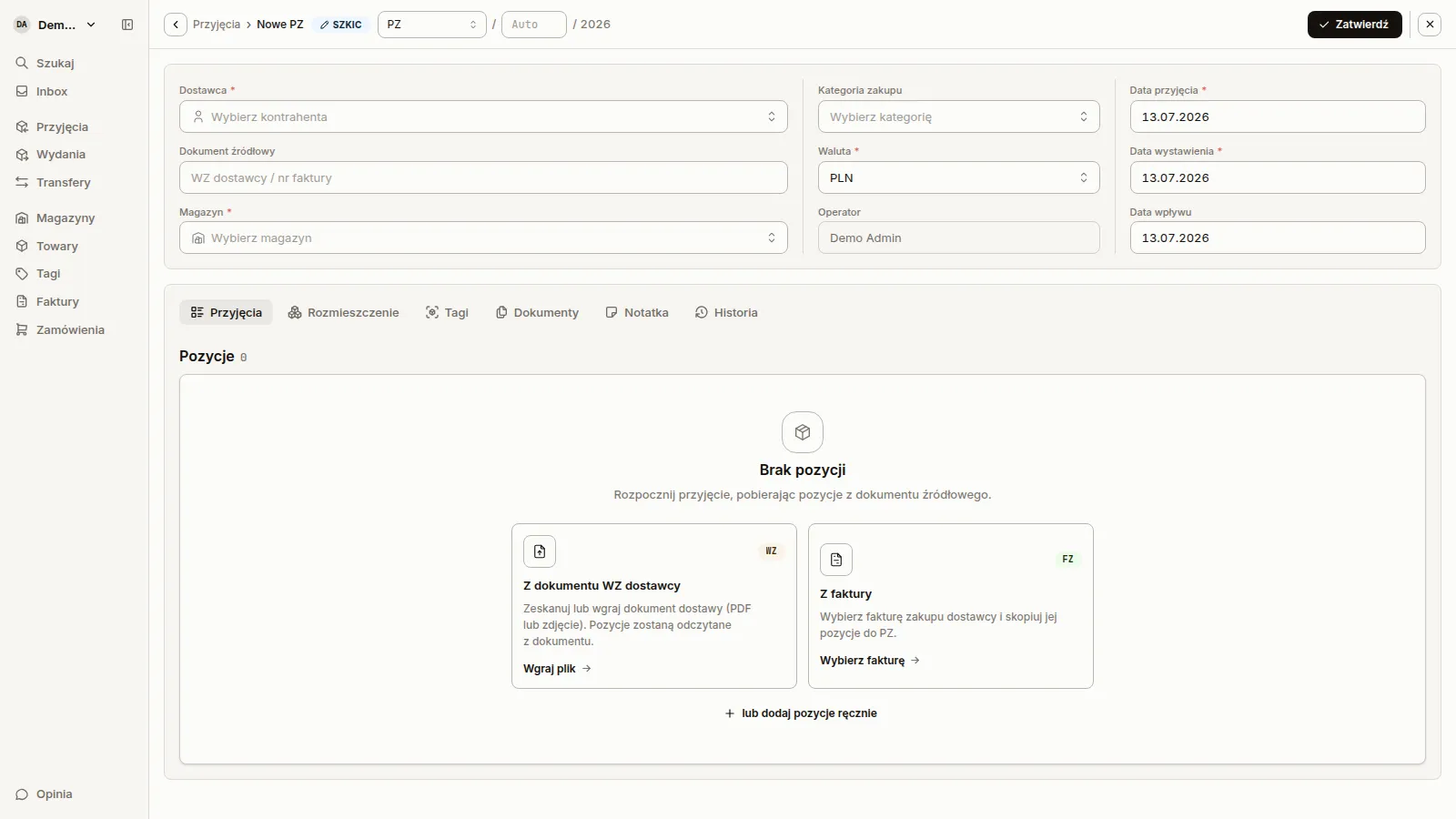
New goods receipt form with delivery document upload option

Mobile work on the warehouse floor

Problem
The system is on an office laptop, while the work happens on the warehouse floor. Information travels on paper and is entered afterwards — or not at all.
Value
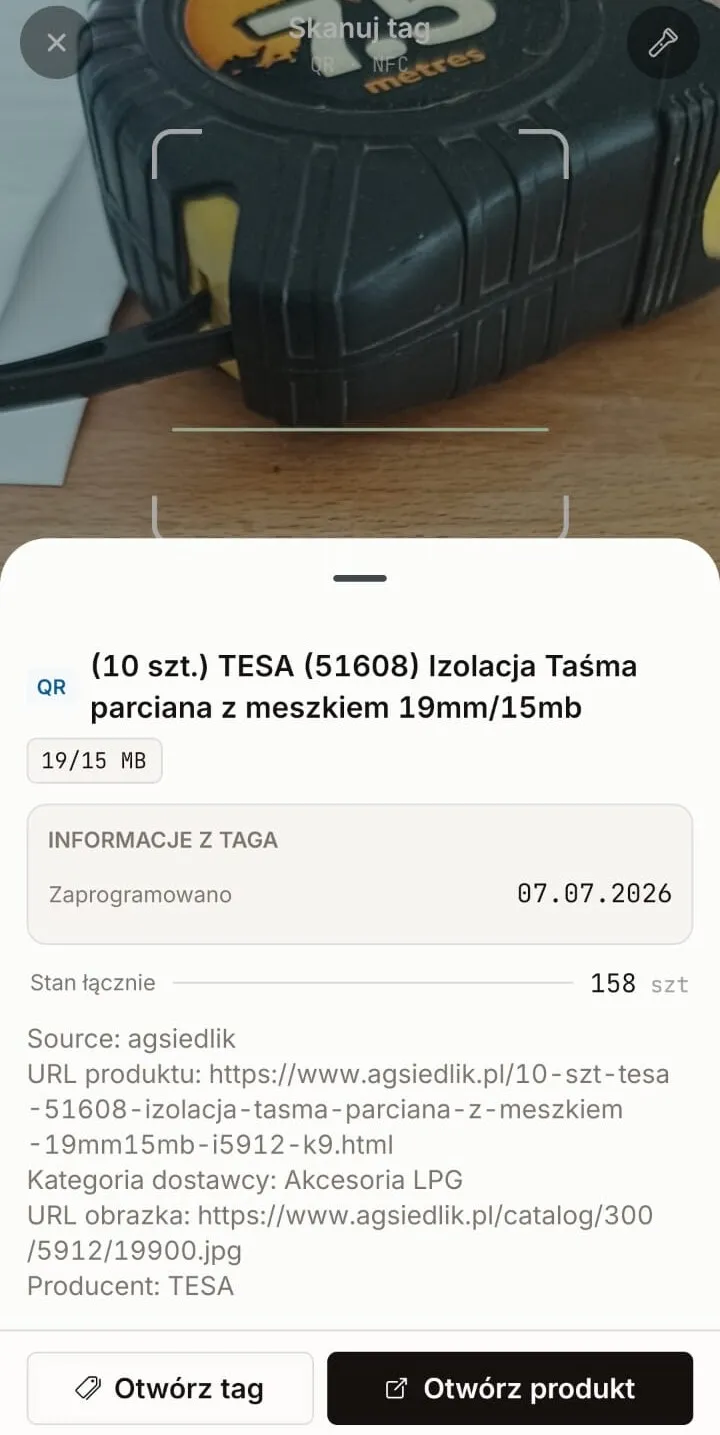
The mobile application guides goods receipts step by step and provides visibility into goods issues and stock transfers — directly on the warehouse floor. The scanner reads barcodes (EAN), QR codes, and NFC tags.
  • scan barcode → open product, document or location directly
  • step-by-step receipts, with camera for delivery documents
  • preview of goods issues and stock transfers on the phone
Result
Data entered once, at the place and time of the event. The system status matches the status on the warehouse floor.
Scanning screen in the mobile app with a recognized product

Warehouse locations and layout

Problem
The ERP knows how much of each item there is, but it does not know on which shelf it is. Finding goods depends on the memory of the most experienced employees.
Value
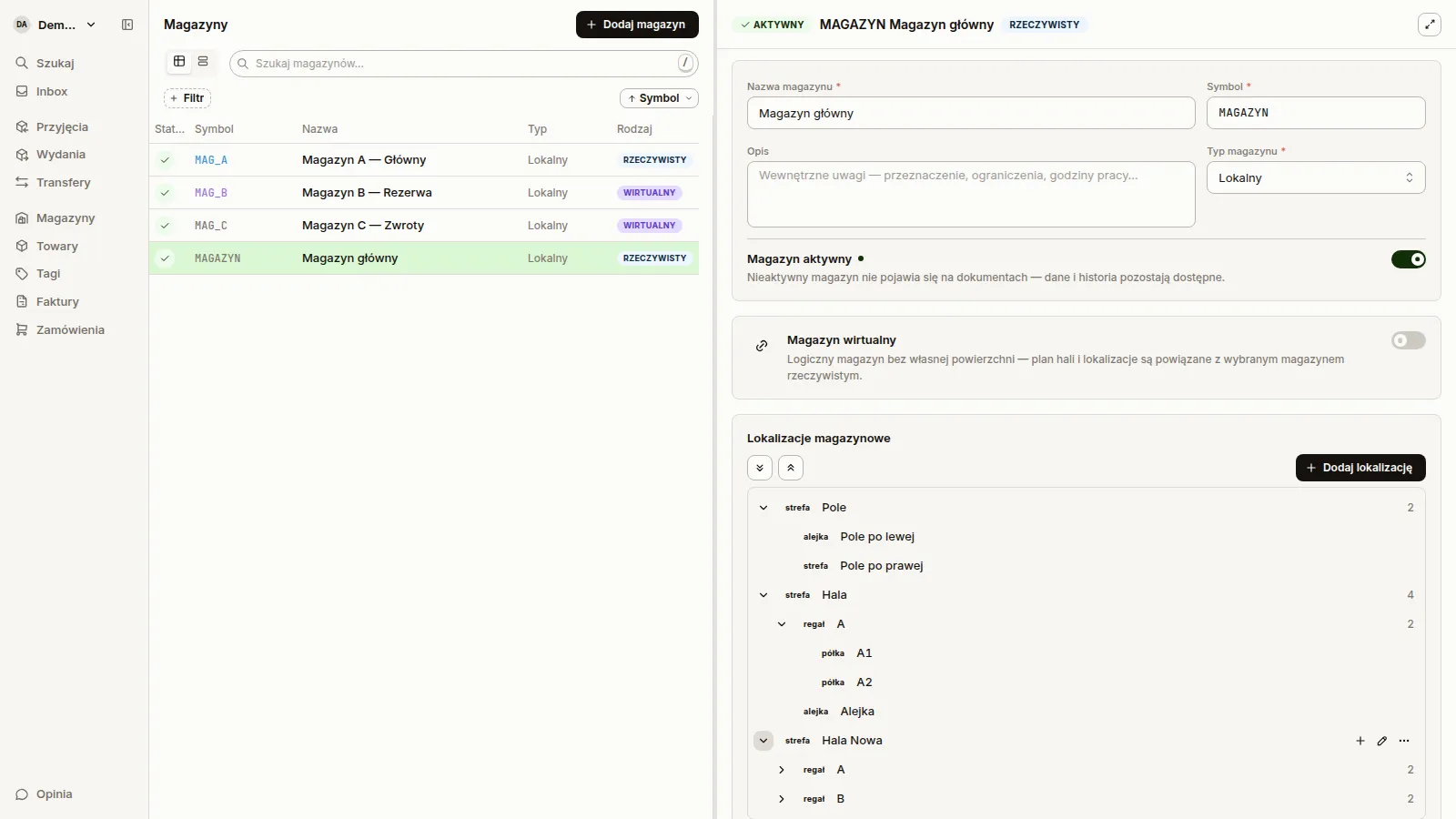
Define racks, shelves and zones. During goods receipt, you place goods in the indicated locations; during goods issue, the system suggests where to pick from.
  • line item placement already on the goods receipt document
  • picks from the indicated locations for goods issues
  • stock levels by location, not just by warehouse
  • search: product → all locations where it is stored
Result
Everyone, including a new employee, will find the goods without asking. Fewer lost stock items.
Warehouse location tree in the warehouse view

Warehouse documents with full history

Problem
Warehouse documents exist in several places at once. It is not clear who changed what, which version is current, or which invoice the goods receipt is linked to.
Value
Create and approve goods receipt, goods issue and stock transfer documents (PZ, PW, WZ, RW, MM) in one place — with change history, links between documents and notes.
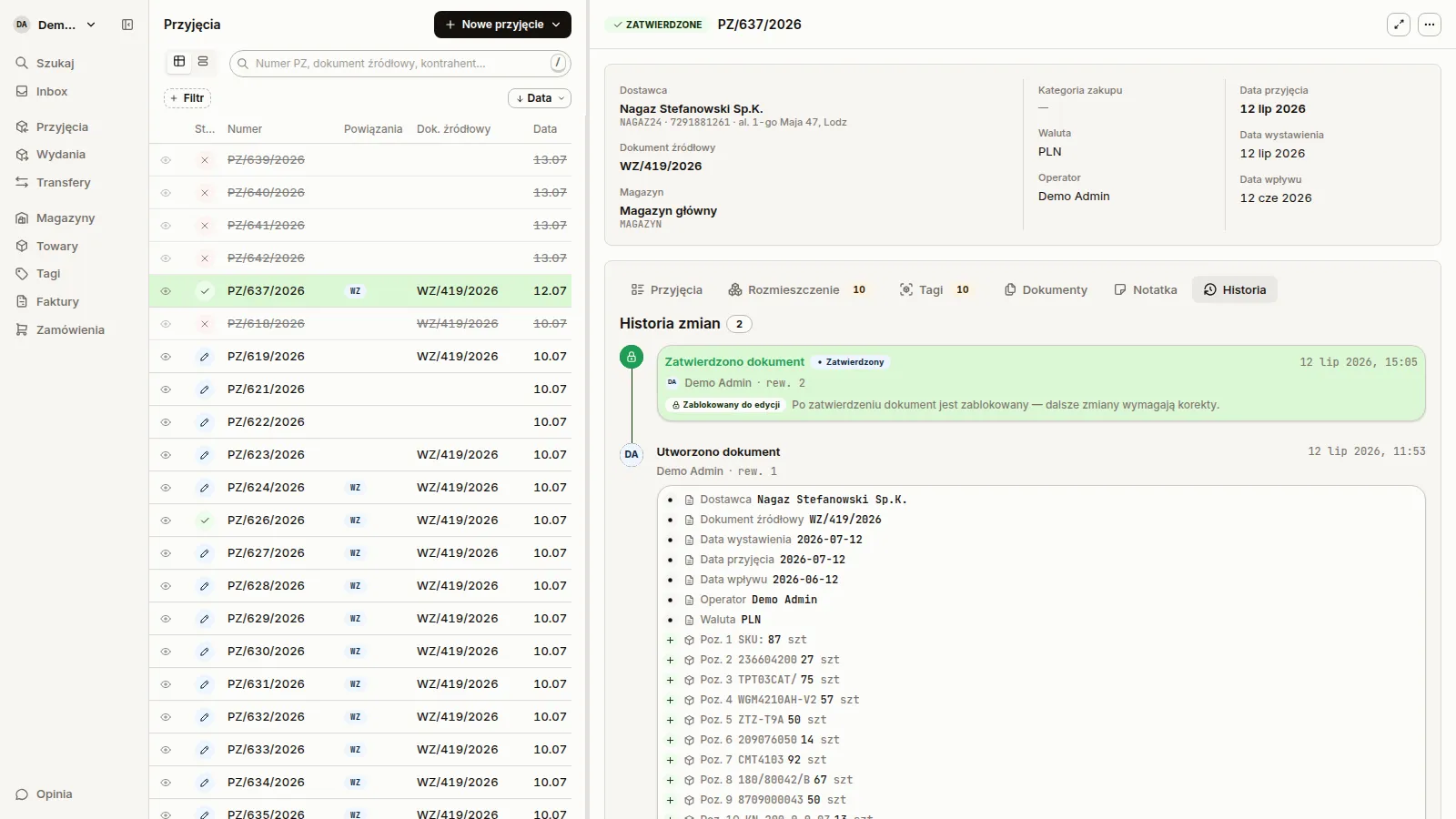
  • full change history: who changed what and when
  • links: invoice ↔ goods receipt, source documents, scans
  • notes on documents, also saved in the ERP
  • statuses from draft to approval — work in progress is visible
Result
Auditable trail from invoice to goods issue. No more figuring out where the discrepancy came from.
Goods receipt document change history

ERP integration instead of migration

Problem
Implementing a new warehouse management system usually means data migration, double entry, and conflict with accounting.
Value
Sancho does not replace the ERP — it integrates with it bidirectionally. Products, counterparties, stock levels and documents remain in the ERP; Sancho adds warehouse operations based on them.
  • Comarch ERP Optima: two-way synchronization of documents (PZ, PW, WZ, RW, MM), products, counterparties and stock levels
  • Fakturownia: invoices, products, warehouses, counterparties
  • the same warehouse operations in the web and mobile app
Result
Deployment without data migration. Accounting and trading continue to work in the ERP as before — the warehouse is no longer a black box.
Comarch ERP OptimaFakturowniaComarch BMP
Sancho
Mobile appWeb application

Labels and tags (QR / NFC)

Problem
Goods, shelves and documents have no identification of their own. Codes from supplier cartons lead nowhere.
Value
Generate custom QR labels and NFC tags for products, locations, and documents. Scanning takes you directly to the correct record in Sancho.
  • it also works with a regular phone camera — the link opens the app or browser
  • Tag history: what, where, and when was scanned
  • one Tag can be reassigned when the shelf contents change
Result
Identification in a second. Instead of asking and searching — you scan.

Elektrozawór LPG MAGIC EV

WGM4210AH-V2

t1g.pl/260714-K4TQZ

Magazyn A · A.678

t1g.pl/260714-B7HX2

Your data under control

Problem
Warehouse data in someone else’s cloud and access where everyone sees everything are hard to reconcile with company requirements.
Value
Sancho can be deployed on your own server with automatic backups. Access is controlled by roles and permissions, and changes are recorded in the event log.
  • self-hosting: Docker Compose installation, controlled updates, S3 backups
  • Roles and permissions for team members
  • event log (audit log)
  • API keys for external integrations
Result
Full control over where data is and who can do what.
$ docker compose up -d
 sancho-postgres  Started
 sancho-redis     Started
 sancho-api       Started
 sancho-app       Started
$ 

Optimize your warehouse. Start using Sancho WMS today.

Join the companies that have streamlined warehouse management with Sancho WMS. Try the system for free.