

October 1, 2026 — Tags on issues and transfers, choosing an ERP at the start
Changes since September 27.
Tags on issues and transfers
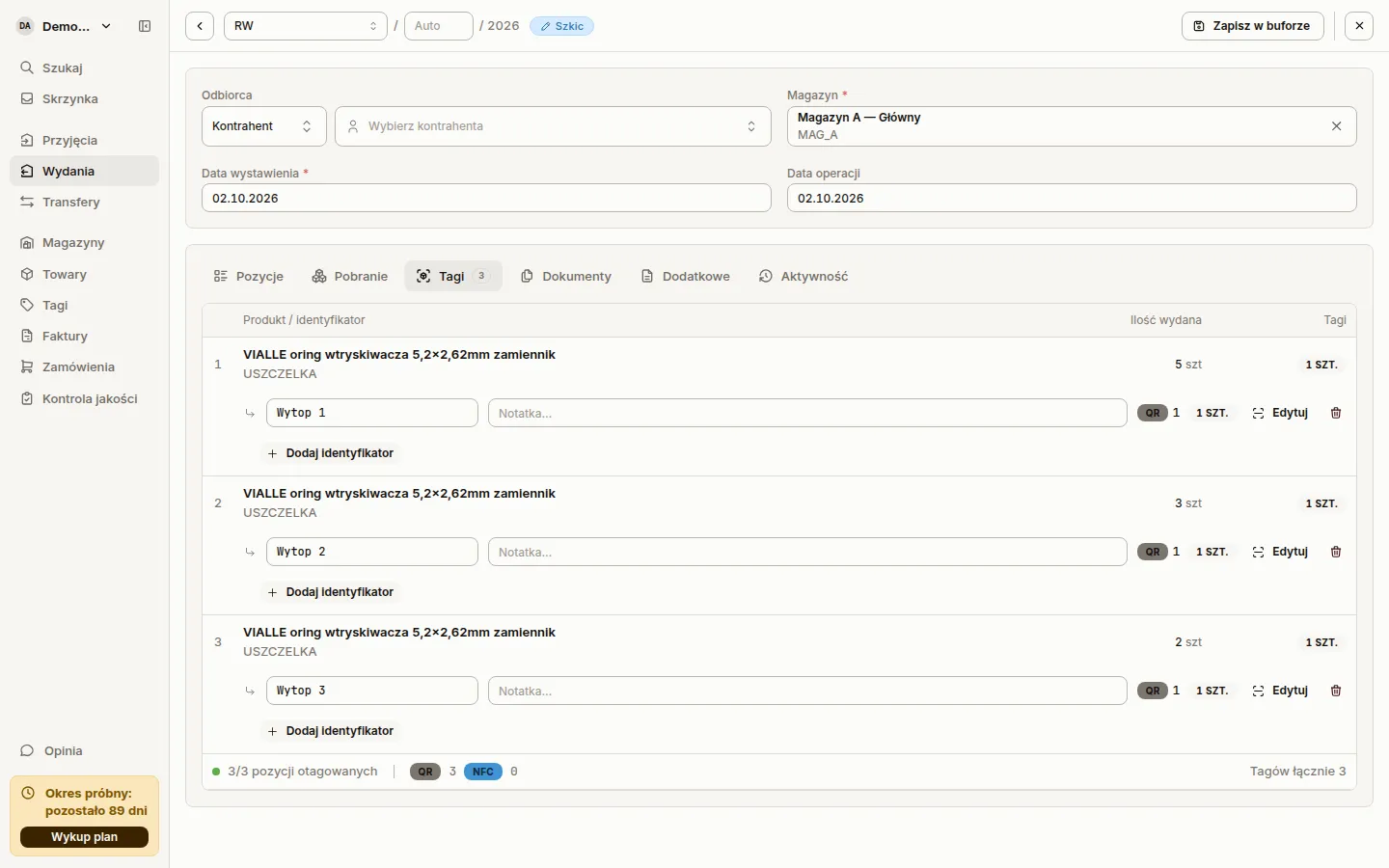
Section titled “Tags on issues and transfers”Goods issues (RW, WZ) and transfers (MM) have a Tags tab, like goods receipts. You pair a tag with a document line in the web app and on the phone. On the phone, issues and transfers have their own tags step and read a tag by NFC or camera. The phone takes over an existing chip instead of programming it again.
A tag taken off an issue or a transfer goes back to where it was before. This includes a tag on a deleted or cancelled document. Sancho retires only a tag created on that document. The Activity tab of an issue and a transfer lists every tag paired and released. Changing From warehouse on a transfer clears the lines together with their tags.
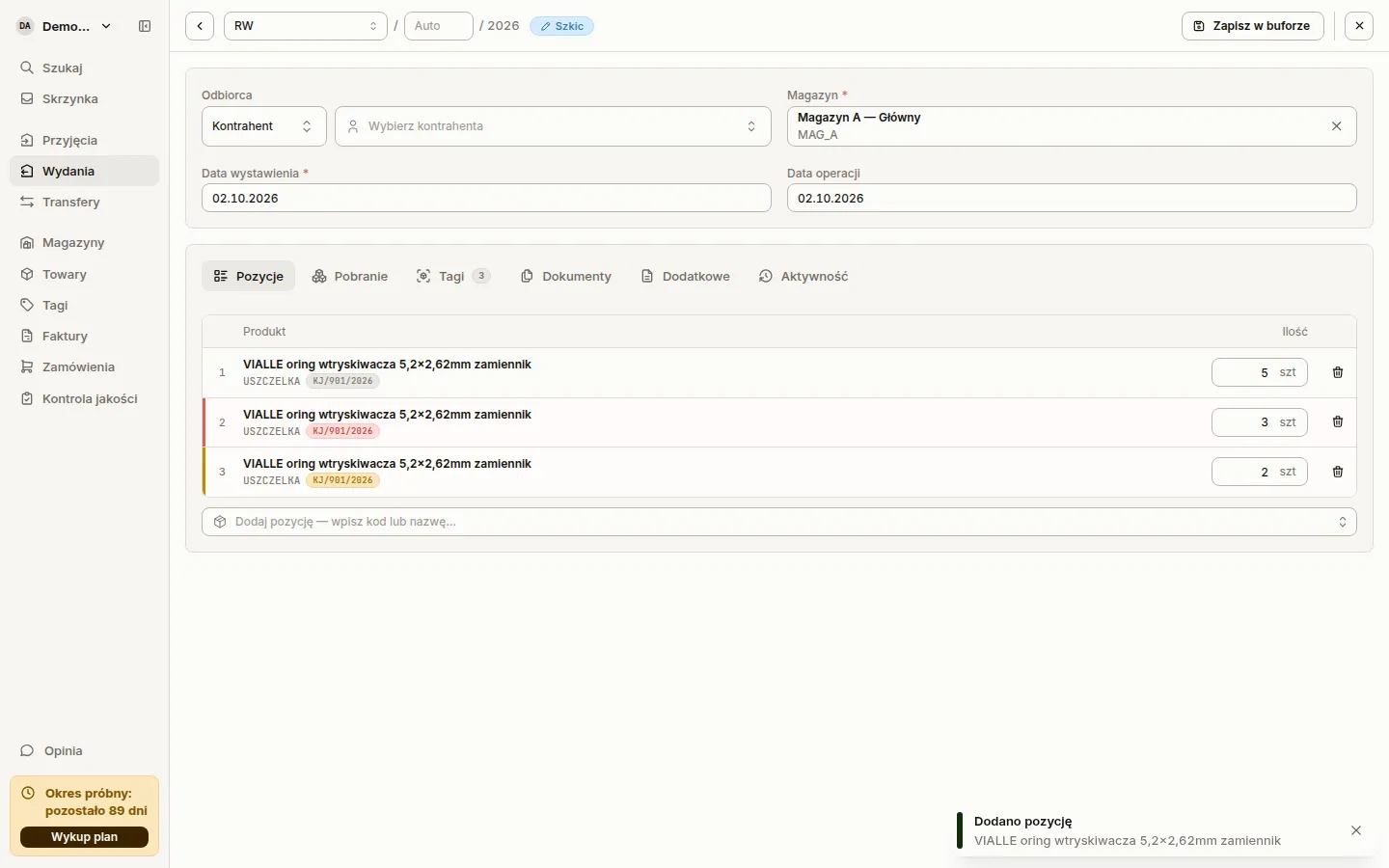
A line shows the quality controls its tags are in. Goods from a control with a failed or unclear result get a highlighted row.
PZ, RW, WZ and MM printouts have an Identifier column at the end of the table. The Identifier and PKWiU columns drop off the printout when they are empty. Printout tables use a smaller font, so long product names wrap less.
Line dialog for the handheld scanner
Section titled “Line dialog for the handheld scanner”In the web app, every scan from a handheld scanner on a receipt, issue or transfer opens a line dialog. It goes to the line that already holds that product and identifier, or starts a new one. You confirm the quantity and locations in the dialog. Only then does the line reach the document and the tag pair.
The dialog shows the scanned tag with its identifier, note and quality controls, and a table of the line’s tags with the new one highlighted. Another tag of the same product with the same identifier joins the open dialog. Sancho refuses a tag that is already on the document and says so. A scan of a different product closes the dialog unsaved and shows The unposted line item was discarded.
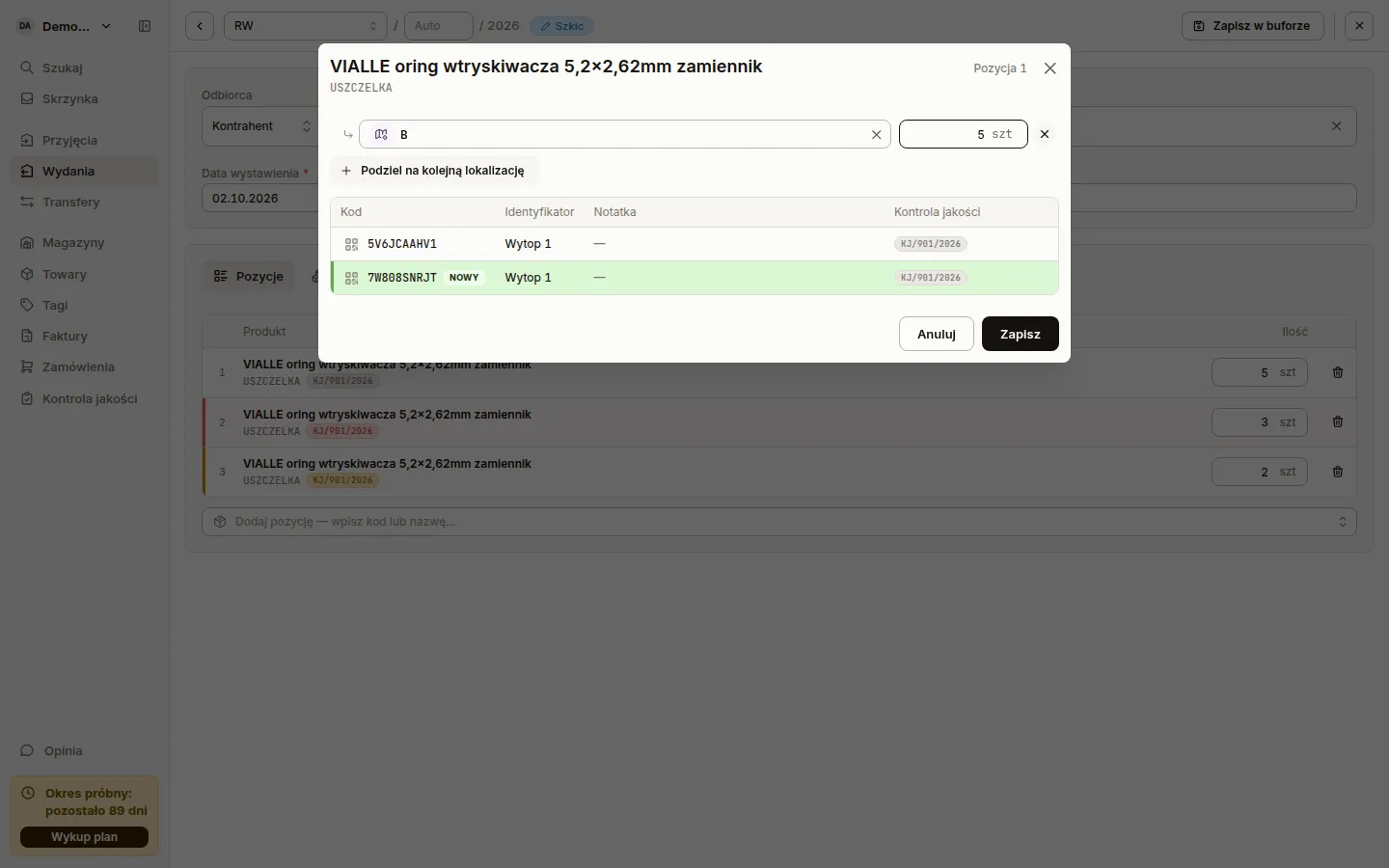
The location picker shows the stock in each location, and a scan picks the location with the most stock.
Choosing an ERP at the start
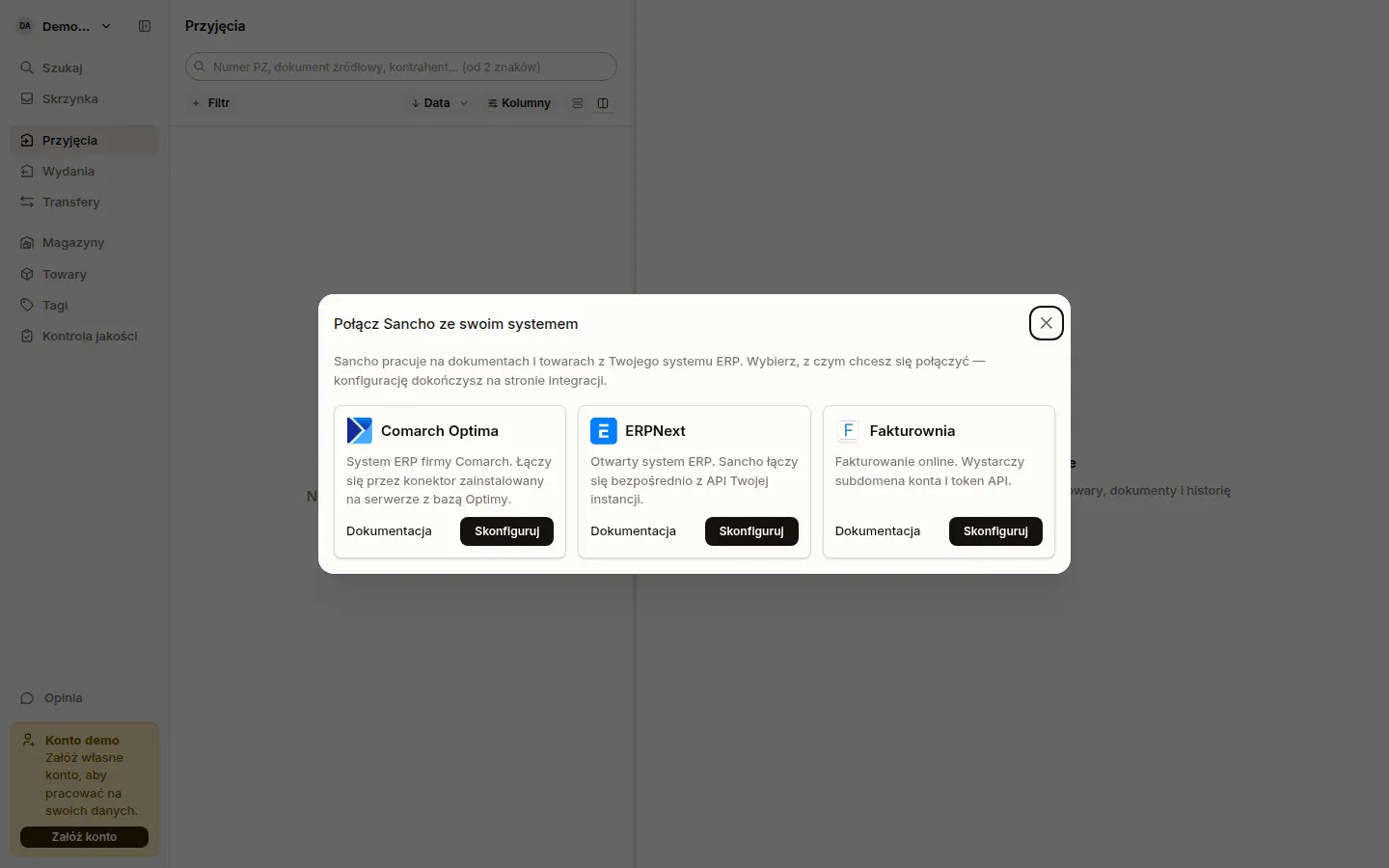
Section titled “Choosing an ERP at the start”A person who can add integrations and lands on an account with none sees the Connect Sancho to your system dialog. It has cards for Comarch Optima, ERPNext and Fakturownia. Documentation opens the setup guide, and Configure opens the new integration form with that type selected. A closed dialog comes back after a page reload until the account has an integration.
Fractional quantities
Section titled “Fractional quantities”Number fields take the decimal separator of the app language: a comma in Polish, a dot in English. This covers line quantities and prices, delivery cost, product prices and weight, quality control quantities, number filters and the QR label size. Typing 0,2 into a pick row no longer turns into 2, and a price with a trailing zero no longer disappears.
A new issue or transfer line starts at one unit. When the warehouse holds less than one, it starts at the free stock rounded down. An empty quantity blocks the save with Enter quantity.
Picks from locations can no longer exceed the line quantity. Before, an over-pick only showed a red badge, and committing took the excess out of the locations. Sancho checks picks to four decimal places, so a pick of 0.125 on a line of 0.125 is no longer an error.
Price on transfers
Section titled “Price on transfers”The ERP values a transfer and an internal issue at cost, so the price on a transfer line is read-only. A new line shows — until the ERP values it. The Activity tab no longer shows that valuation as a change on a transfer or an RW. On a WZ, a sale price change still goes into the history.
Scanning on the phone
Section titled “Scanning on the phone”The camera reads only the code inside the reticle frame. With several labels side by side, the scanner no longer jumps between them. The preview of a scanned code pauses the camera. Close it with Continue scanning or a swipe down. An NFC read still replaces an open preview.
Scanning a retired tag warns with an amber frame and a vibration. Before, such a tag looked active. An unknown code and a code with no link also warn, instead of flashing green. A retired tag has a grey icon and a struck-through code in the list, the header and the preview. The tag card says when and by whom it was retired.
Documents from Fakturownia
Section titled “Documents from Fakturownia”Fakturownia transfers open. Before, the preview of every transfer ended in an error, because Fakturownia stores each line twice, once for the source warehouse and once for the destination.
Saving a receipt, issue or transfer in Fakturownia no longer rewrites the whole document. Sancho changes, adds and deletes only the lines the edit touches. Before, lines changed order, and locations and tags could land on the wrong line. A line that Fakturownia splits across delivery batches comes back as one. After a save, the document shows its lines in Fakturownia’s order.
A committed document has its warehouse and currency locked, and a transfer also its destination warehouse.
A PW no longer needs a supplier, as in Optima. The counterparty on an RW now reaches Fakturownia. Removing the counterparty from a PW or RW now clears it in Fakturownia too. Before, Fakturownia kept the old one and showed it again after a refresh.
Fakturownia receipt and issue lists load faster. Before, an account with many receipts read its whole document history to show a few issues.
Under the hood
Section titled “Under the hood”- Signing in with Google lands on the app’s start page. Before, it ended on an error page.
- The mobile app asks for notification permission once after sign-in. Before, it asked every time you came back to the app, even after a refusal.
- The demo account shows a Demo account notice with a Create account button in the menu instead of the trial notice.
- A warehouse location must have a name.
- An RW draft needs a warehouse on every integration.